
A member of the Beimdick Group+49 (0)231 5175-0info@hstech.de

SCT — Substation Configuration Tool

Model your substation. Generate its SCL description.

SCT is the tool for graphical substation engineering according to IEC 61850-6 Ed. 2, from the single-line diagram and the devices to the communication network.

Windows 11-style visualization

Application

Specify and configure in one tool.

With SCT you model the primary and secondary equipment of your installation: draw the single-line diagram, assign manufacturer-independent logical nodes, model the IEDs and configure the communication network.

In the IEC 61850 engineering process, SCT serves as a system specification tool and as a system configuration tool. Results are saved as SCL files: as a system specification (SSD), device description (ICD) or complete system configuration (SCD).

The designers

From single-line diagram to network.

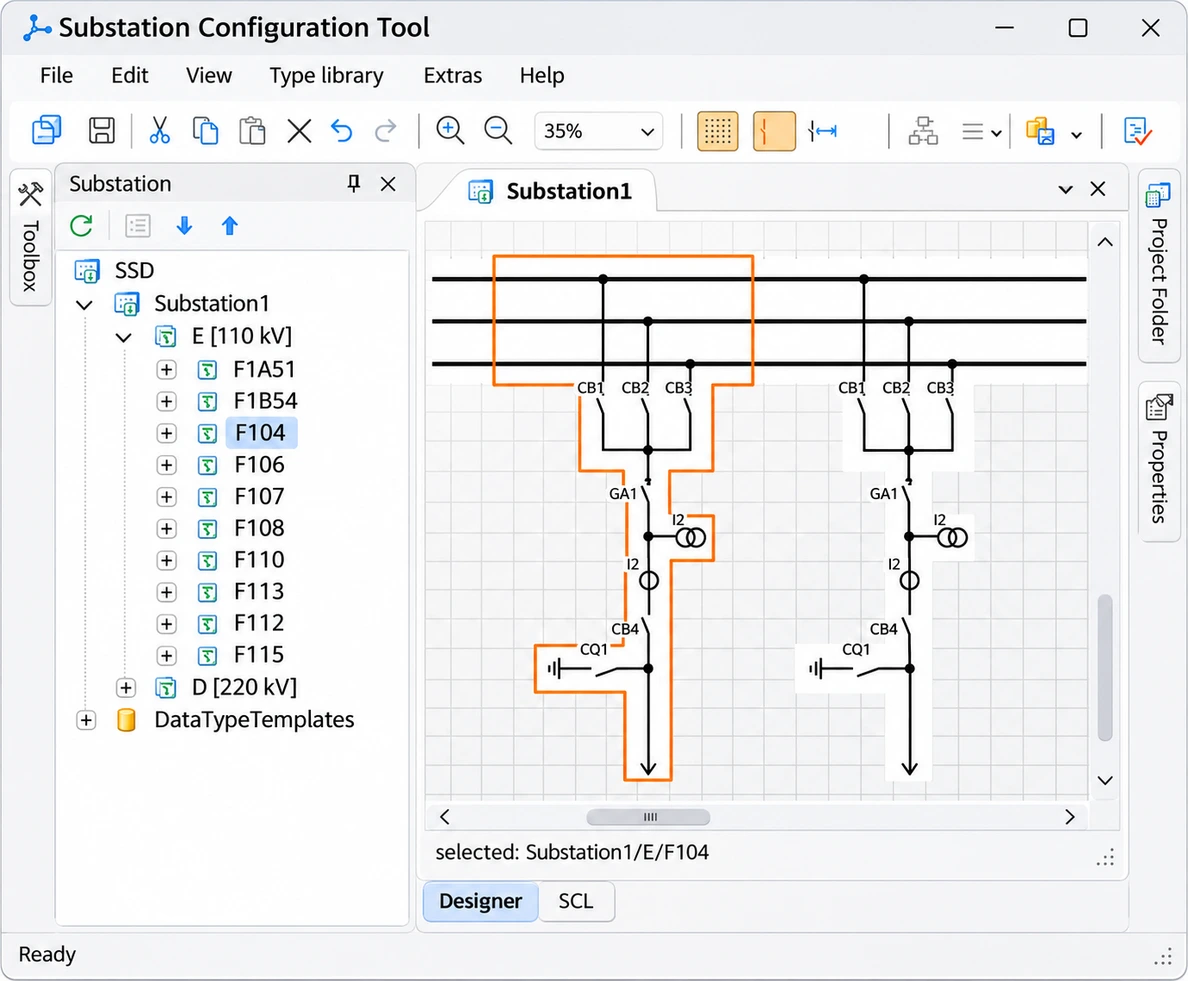
Substation designer with single-line diagram
Substation designer with single-line diagramWindows 11-style visualization

Substation designer: draw the installation

Draw the single-line diagram using drag & drop and define the topology by station, voltage level and bay. Placing primary equipment directly creates placeholders for the logical nodes of the secondary equipment.

Substructures such as bays can be saved and reused in other installations.
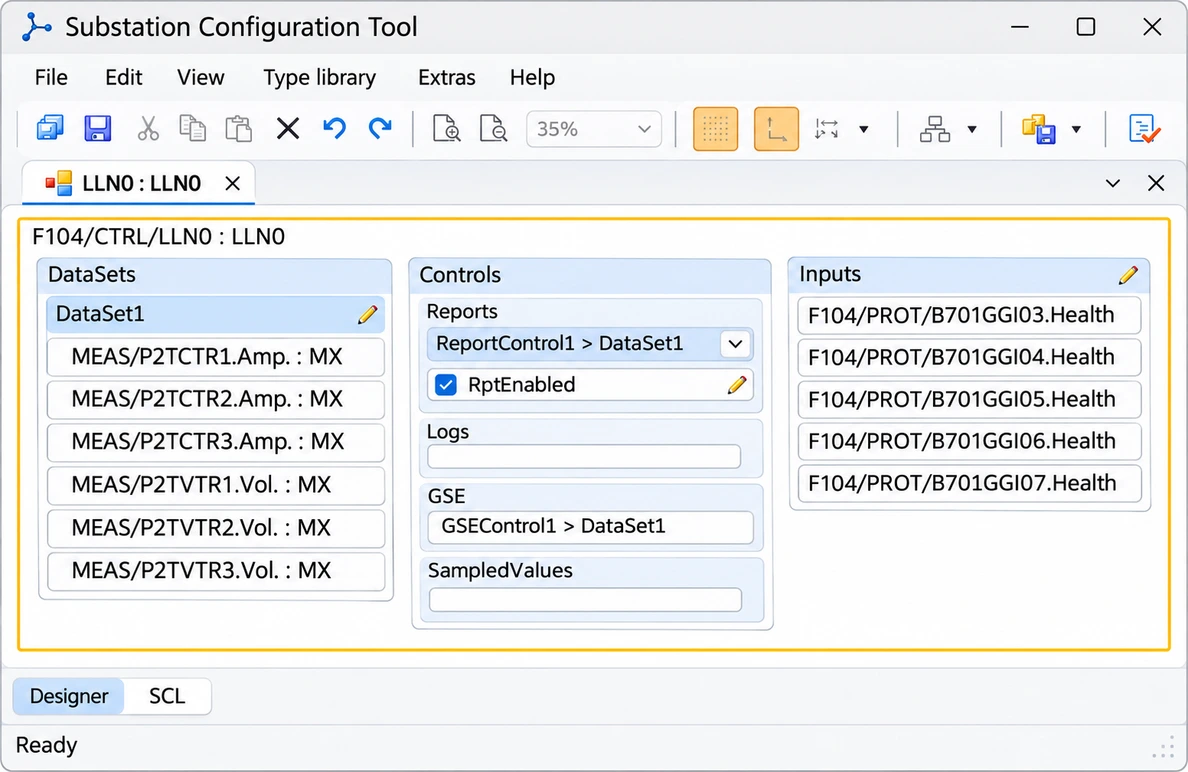
LN designer with data set, report and GSE control block
LN designer with data set, report and GSE control blockWindows 11-style visualization

IED and LN designer: model the devices

In the IED designer you build devices from access point, server, logical device and logical nodes according to IEC 61850-7-4.

In the LN designer you configure data sets, report, GOOSE and sampled values control blocks and the external inputs of a logical node.

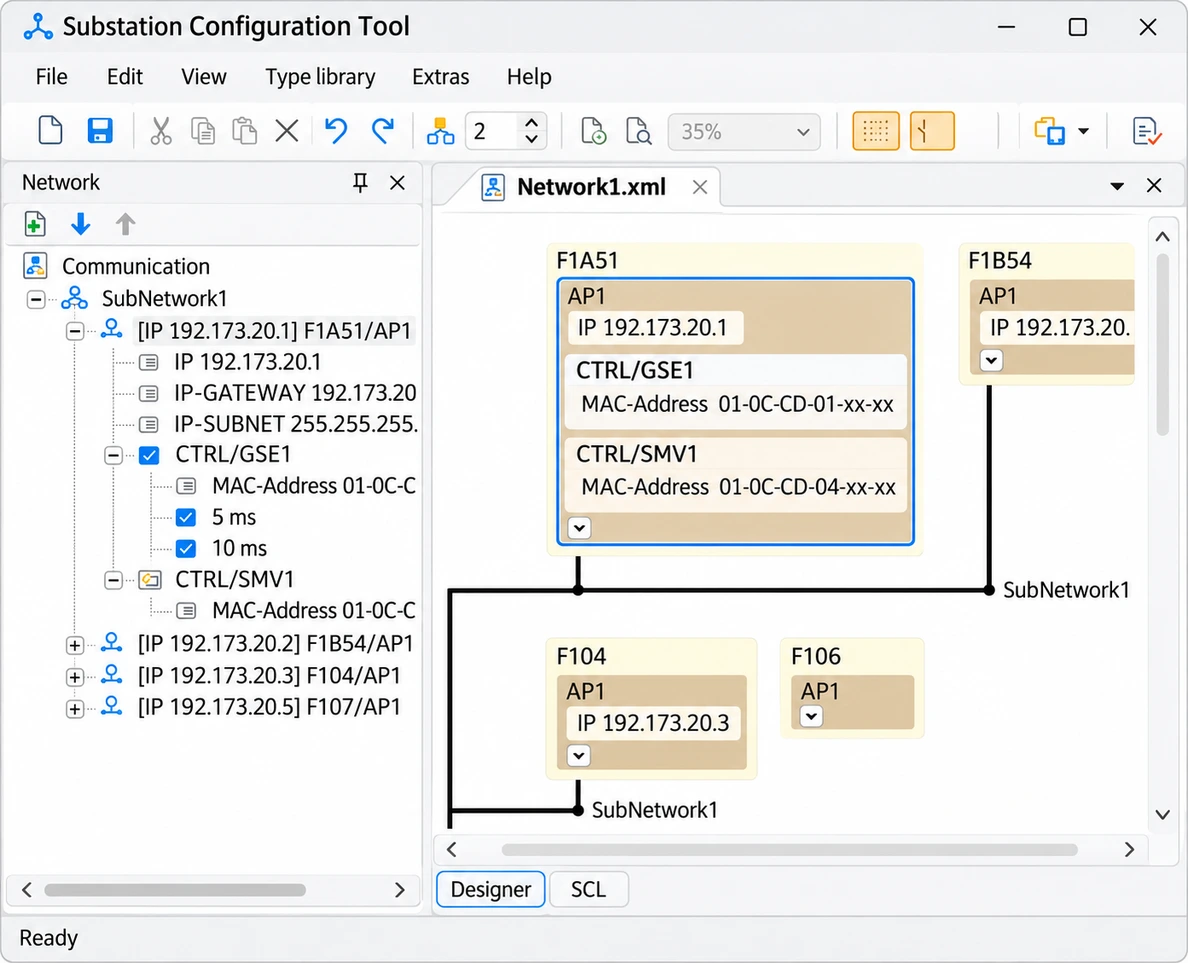
Network designer with subnetwork and access points
Network designer with subnetwork and access pointsWindows 11-style visualization

Network designer: configure the network

Connect the access points of the IEDs to subnetworks. SCT assigns network addresses automatically based on configurable templates, including GOOSE and sampled values.

More functions

What else SCT offers.

Type library

Manage LNodeTypes, DOTypes, DATypes and EnumTypes independently of projects. SCT updates the DataTypeTemplates in the project automatically.

Link logical nodes

Link the logical nodes of the installation to those of the IEDs using drag & drop or an assistant.

Validation

SCT checks data against the SCL schema and for consistency in the background. Double-clicking a message takes you to the object concerned; some warnings come with suggested solutions.

Import and export

Import SSD, ICD, IID and SCD files. For individual IEDs, SCT exports CID files with all relevant information.

At a glance

Key facts.

SCT supports manufacturer-neutral top-down engineering: the installation is specified first, the devices follow.

Standard
IEC 61850-6 Ed. 2
Data models
IEC 61850-7-3 / 7-4 Ed. 2
SCL
Ed. 2, version 2007 revision B
File formats
SSD, ICD, IID, SCD, CID
Platform
Windows (.NET Framework)

Your next step

Discuss SCT for your application.

Tell us about your installation and requirements.

External content

Fonts, images and the location map are stored on our own webspace. External websites such as Google Maps, Xing and the careers website open only when you follow their links.