
A member of the Beimdick Group+49 (0)231 5175-0info@hstech.de

CVT — Configuration Validation Tool

Create, run and document test scenarios.

CVT automates system tests for substation automation: generate test cases from the SCL file, simulate IEDs, run the tests and produce a test report suitable for FAT.

Windows 11-style visualization

Application

Create and run tests separately.

CVT supports the IEC 61850 and IEC 60870-5-104 interfaces as well as the connection to the IPS-20 test system. A typical application is testing RTUs and gateways: CVT simulates the IEDs on the station bus and checks the telegrams towards the control centre as an IEC 60870-5-104 client.

Because test creation and execution are separate, tests can be carried out independently after a short introduction. Experienced testers save time because tests run quickly and several components can be tested at once.

Workflow

A test set in four steps.

  1. 01

    Configure

    Import the SCL file, select test case templates and signals, generate the test.

  2. 02

    Prepare

    Start the IED simulation based on the SCD file.

  3. 03

    Run

    Tests run automatically one after the other, complete or selectively.

  4. 04

    Evaluate

    Filter results in the test report, output it as PDF and archive it.

The software

From test case to test report.

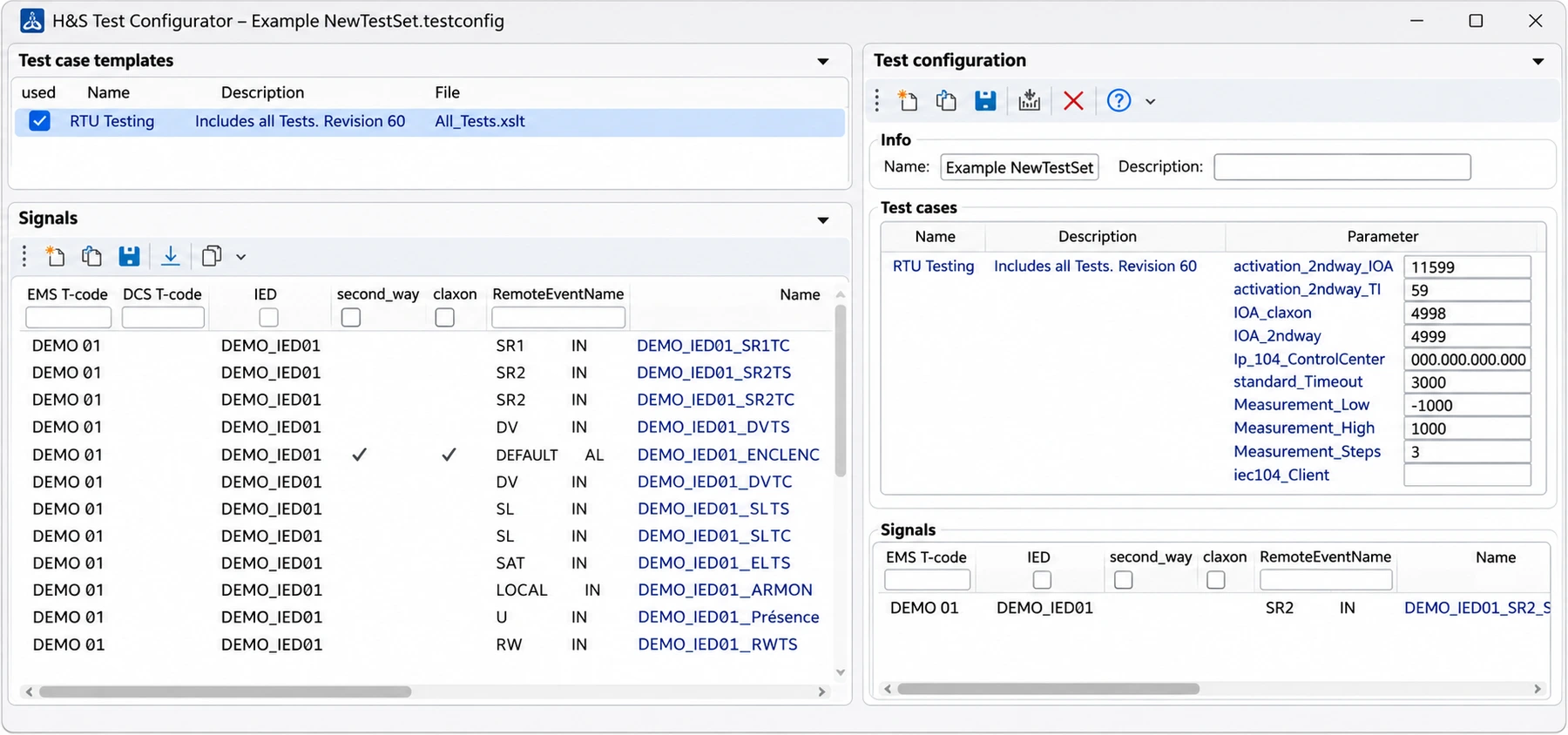
H&S Test Configurator with test case template and signals (sample data)
H&S Test Configurator with test case template and signals (sample data)Windows 11-style visualization

Test Configurator: generate test cases

Test data is created from the imported SCL file. You select test case templates, add the matching signals and adjust parameters such as timeouts, IOAs or measurement ranges. One click generates the test assembly.

Tests can also be built for a reduced data set, for example for a single IEC 61850 client.
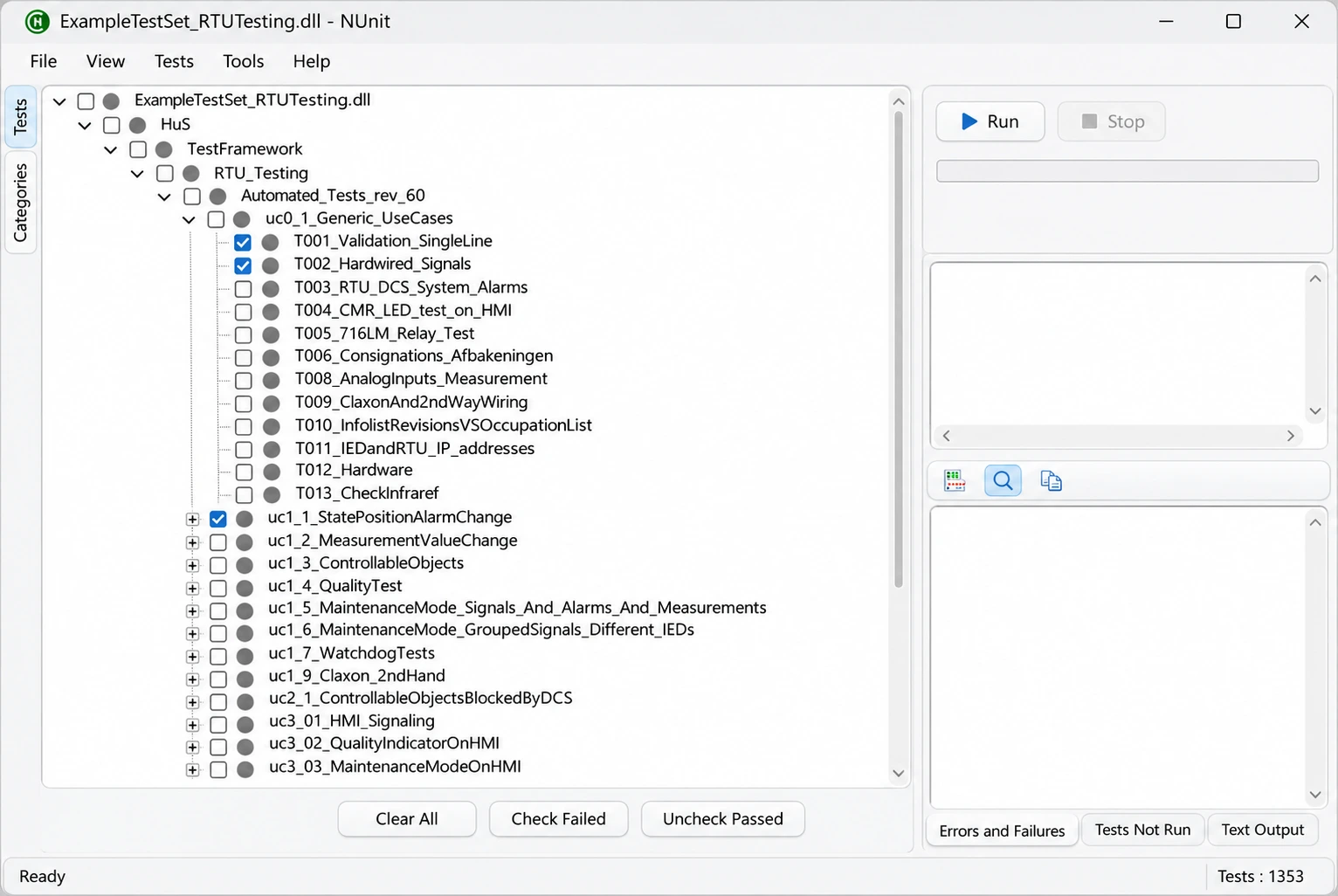
Test runner with the use cases of a test set
Test runner with the use cases of a test setWindows 11-style visualization

Test runner: run selectively

Tests are organised by use case and bay. Run the complete test set or repeat individual tests, for example only those that failed.

Each result is stored automatically with a time stamp in the test set.

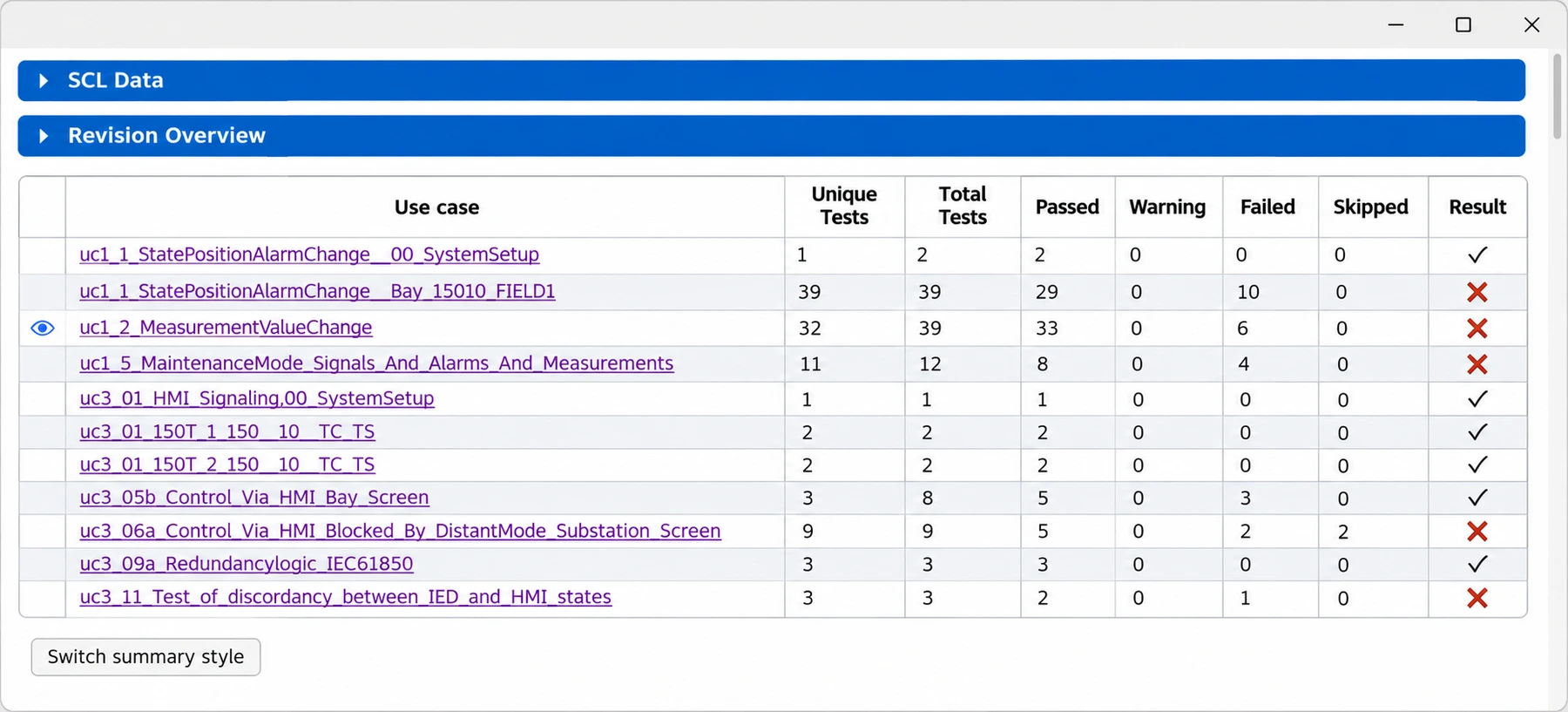
Test Report Configurator with use case overview (sample data)
Test Report Configurator with use case overview (sample data)Windows 11-style visualization

Test Report Configurator: traceable documentation

The Test Report Configurator combines all results of a test set into one report. Filters show warnings and errors at a glance; each test is documented down to the telegrams sent and received.

With time stamps and this level of detail, the report is suitable as a FAT test record and can be output as PDF.

More functions

What else CVT offers.

IED simulation

All IEDs of an SCL file can be simulated. CVT writes the required IP addresses to the network adapter automatically and restores the previous configuration afterwards.

Manage test sets

A test set bundles configuration, simulation, test runs and reports. Test sets can be exported, backed up and reused on another PC.

Clear error codes

Deviations are classified with error codes, such as a missing telegram, an unexpected value or a wrong RTU control model.

Logging

The log view shows the output of all CVT components. The Sentinel log viewer with filter functions supports detailed diagnostics.

Documented test methods

A tabular description of all test methods with test steps and exchanged signals is included.

Include IPS-20

The interface to IPS-20 brings electrical process signals into the system test.

At a glance

Key facts.

CVT needs no setup: the program folder is simply copied to the target system.

Protocols
IEC 61850, IEC 60870-5-104
Data basis
SCL / SCD
Test execution
NUnit test runner (TestCentric)
Test report
PDF, with time stamps
Platform
Windows, .NET 8

Your next step

Discuss CVT for your application.

Tell us about your installation and requirements.

External content

Fonts, images and the location map are stored on our own webspace. External websites such as Google Maps, Xing and the careers website open only when you follow their links.